Auth Socialbulk: The Free Online 2FA Authenticator Tool — Complete Guide (2026)
Account security has never mattered more. Every day, thousands of social media accounts are compromised — not because hackers cracked strong passwords, but because those accounts had no second layer of protection. Auth Socialbulk is a free, browser-based two-factor authentication tool that generates secure, time-limited OTP codes instantly. This guide explains exactly what it is, how it works, how to use it, and why every Socialbulk user should have it bookmarked.
What Is Auth Socialbulk?
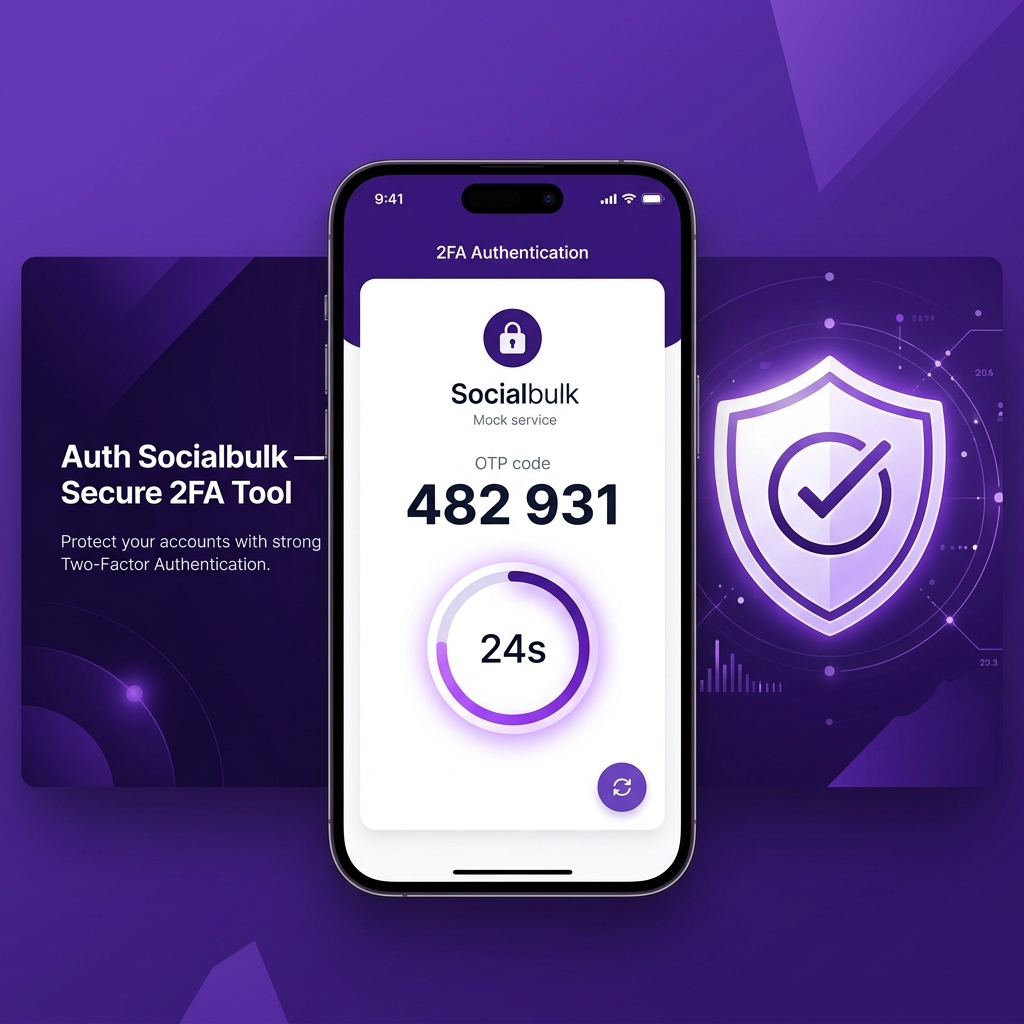
Auth Socialbulk is a free, web-based two-factor authentication (2FA) tool available at auth.socialbulk.in. It was built by the Socialbulk team as part of their digital security ecosystem and is designed to help users generate TOTP (Time-based One-Time Password) codes quickly and securely — directly inside their browser, with no app download required.
Think of it as a browser-native version of Google Authenticator or Microsoft Authenticator. You enter a secret key, click a button, and instantly receive a valid 6-digit authentication code that refreshes every 30 seconds.
The tool is entirely free, requires no registration, and is specifically designed for Socialbulk account holders, social media marketers, and anyone managing multiple online accounts who needs immediate 2FA code access without switching between devices or apps.
What Is Two-Factor Authentication (2FA)?
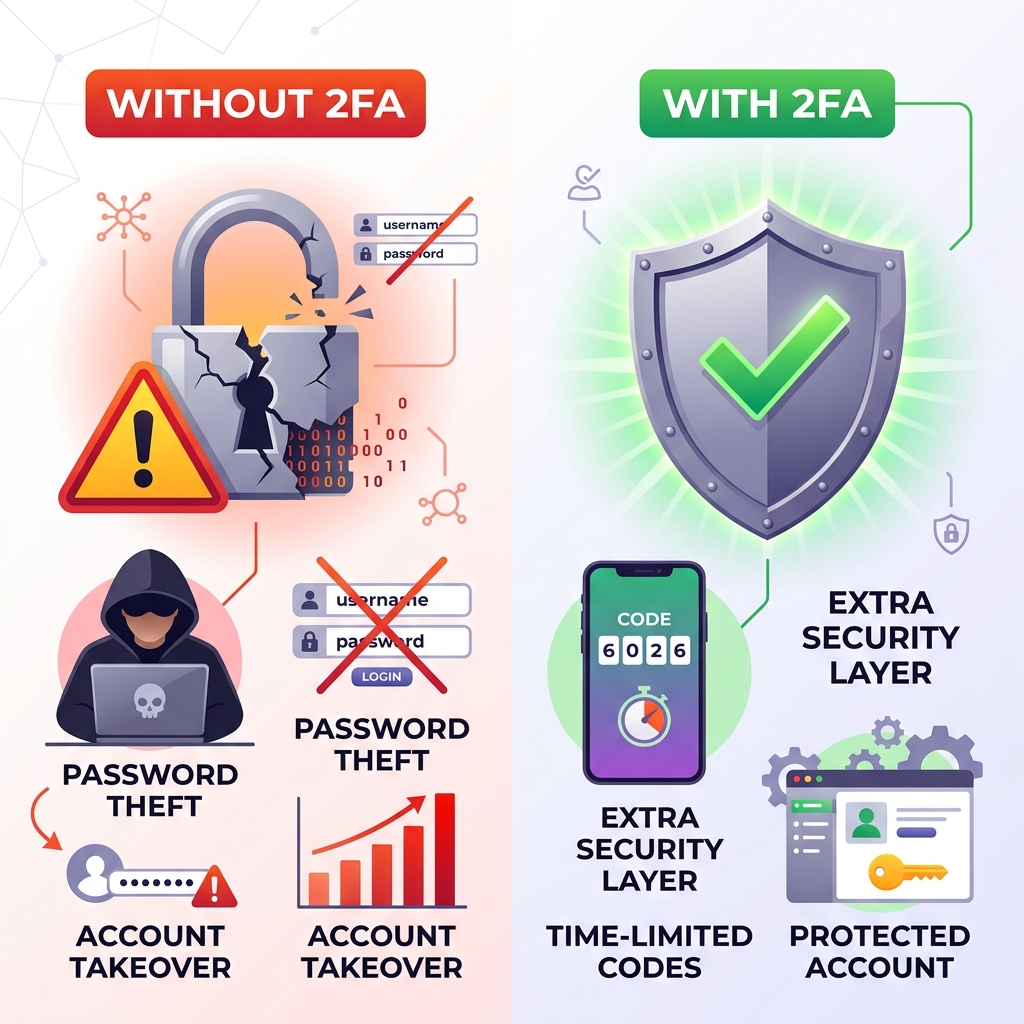
Two-factor authentication (2FA) is a security process that requires users to verify their identity in two separate ways before gaining access to an account. It goes beyond the traditional username and password combination.
The two "factors" are drawn from three possible categories:
- Something you know — your password or PIN
- Something you have — your phone, a hardware key, or a time-based code from an authenticator
- Something you are — biometrics like a fingerprint or face scan
Standard login only uses the first factor (password). 2FA adds a second layer — typically a time-limited code from an authenticator app. This means that even if someone steals your password, they still cannot log in without the second factor.
Why Is 2FA Now Considered a Minimum Standard?
Industry security bodies including NIST (National Institute of Standards and Technology) and OWASP classify multi-factor authentication as a baseline security requirement — not an optional extra. Major platforms like Google, Meta, Instagram, and Twitter all support and actively encourage 2FA because password-only protection is insufficient against modern credential attacks.
How TOTP 2FA Works — The Technology Explained
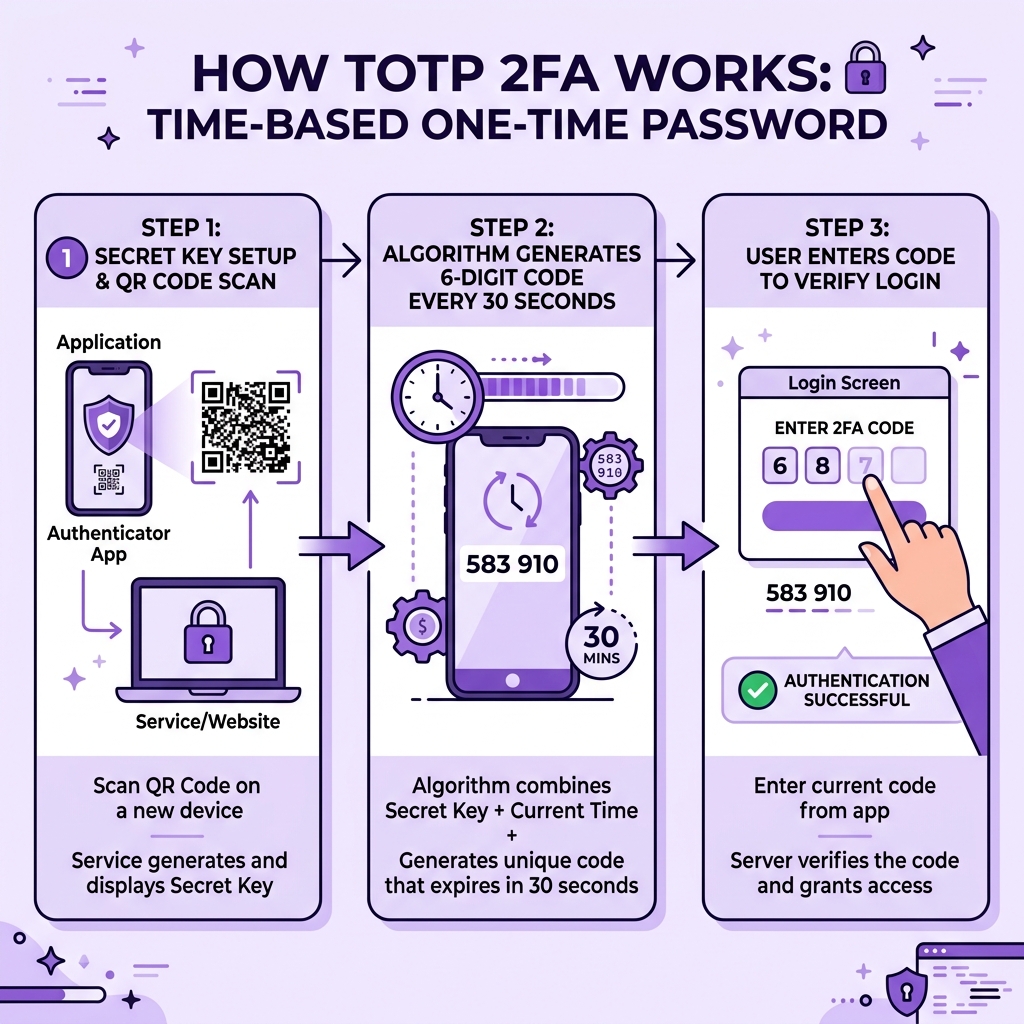
Auth Socialbulk uses the TOTP algorithm — defined in IETF RFC 6238 — which is the same standard used by Google Authenticator, Microsoft Authenticator, and Authy. Here is what happens behind the scenes:
The TOTP Process Step by Step
- Secret key exchange (setup phase): When you enable 2FA on a platform (Instagram, Google, etc.), the platform generates a unique secret key — typically a Base32-encoded alphanumeric string of 16 to 32 characters. You share this key with your authenticator by scanning a QR code or copying it manually.
- Time-based calculation: Both the platform and your authenticator tool take the current Unix timestamp, divide it by 30 (the time step), and use it as an input to the HMAC-SHA1 algorithm along with the secret key.
- Code generation: The HMAC-SHA1 output is truncated and converted into a 6-digit number. Because both the platform and authenticator use the same secret key and the same time value, they produce identical codes — even without network communication.
- Code expiry: Every 30 seconds, the time step increments, producing a completely new code. Previous codes become invalid immediately.
- Verification: You enter the code on the platform's login page. The server runs the same calculation and confirms the match. Access granted.
Why TOTP Is More Secure Than SMS OTP
SMS-based OTPs (codes sent via text message) are vulnerable to SIM-swapping attacks, SS7 protocol exploits, and social engineering. TOTP codes generated by an authenticator never leave your device, are not transmitted over a network, and expire in 30 seconds — making them dramatically harder to intercept or reuse.
Key Features of Auth Socialbulk
Auth Socialbulk is deliberately minimal — and that is a strength, not a weakness. Here is what the tool offers and why each feature matters:
| Feature | Description | Why It Matters |
|---|---|---|
| Browser-Based | Runs entirely in your web browser | No app download, works on any device |
| Instant Code Generation | Generates 6-digit TOTP codes in under 1 second | No waiting, no loading screens |
| 30-Second Countdown Timer | Visual circular timer shows remaining validity | Know exactly when to copy before expiry |
| One-Click Copy | Copy button instantly copies the 6-digit code | Eliminates manual transcription errors |
| Clipboard Paste Support | Paste button reads from clipboard for fast input | Ideal for pasting copied secret keys quickly |
| Client-Side Processing | Secret key never leaves your browser | Your sensitive key is never exposed to any server |
| No Account Required | Use the tool immediately without registration | Zero friction for immediate use |
| Error Detection | Displays "ERROR!" for invalid secret key formats | Prevents wasting time on bad inputs |
| Free Forever | No pricing tiers, no paywalls | Accessible to all Socialbulk users |
| Mobile Responsive | Fully functional on smartphones and tablets | Use it on any screen size, anywhere |
How to Use Auth Socialbulk — Step-by-Step Guide
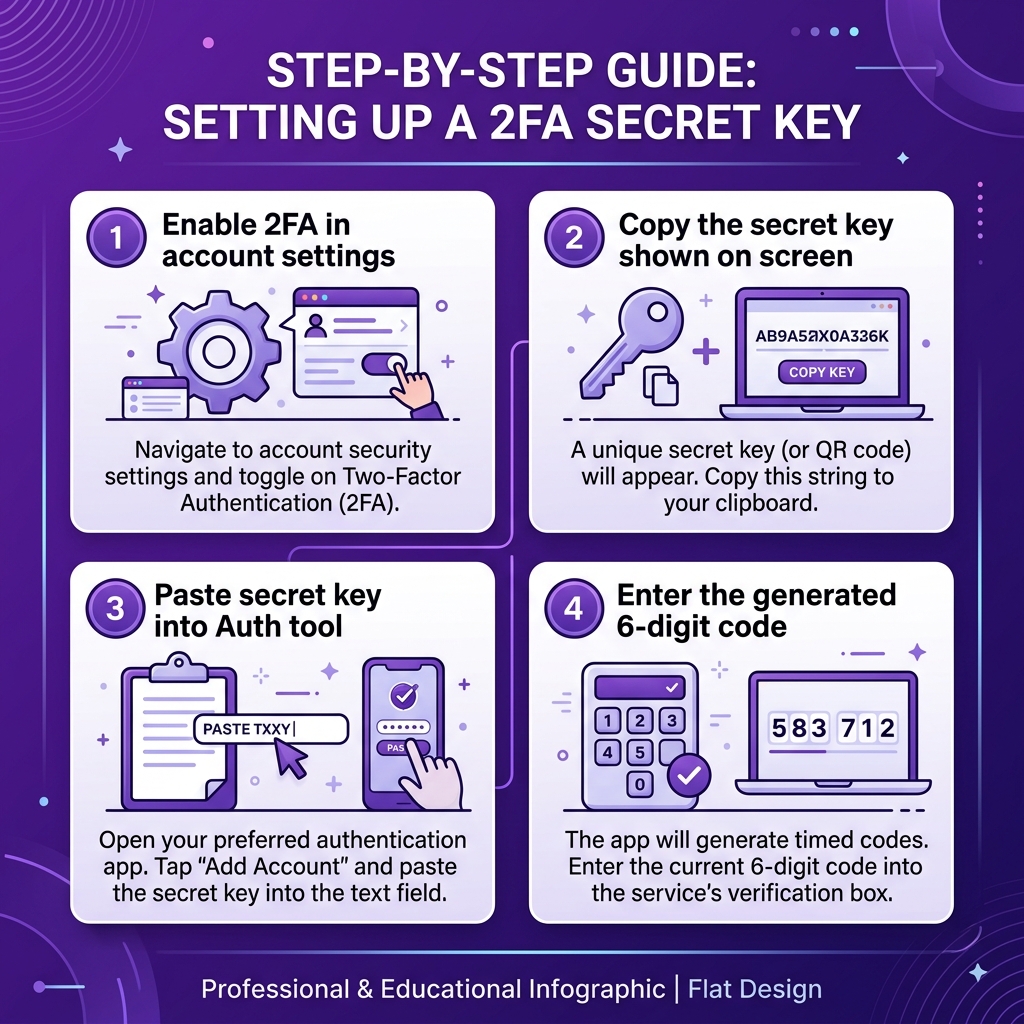
Using Auth Socialbulk takes about 30 seconds from start to code. Here is the complete process:
Step 1 — Open Auth Socialbulk
Navigate to auth.socialbulk.in in your browser. The tool loads instantly with a clean, minimal interface. No loading screens, no pop-ups.
Step 2 — Locate Your Secret Key
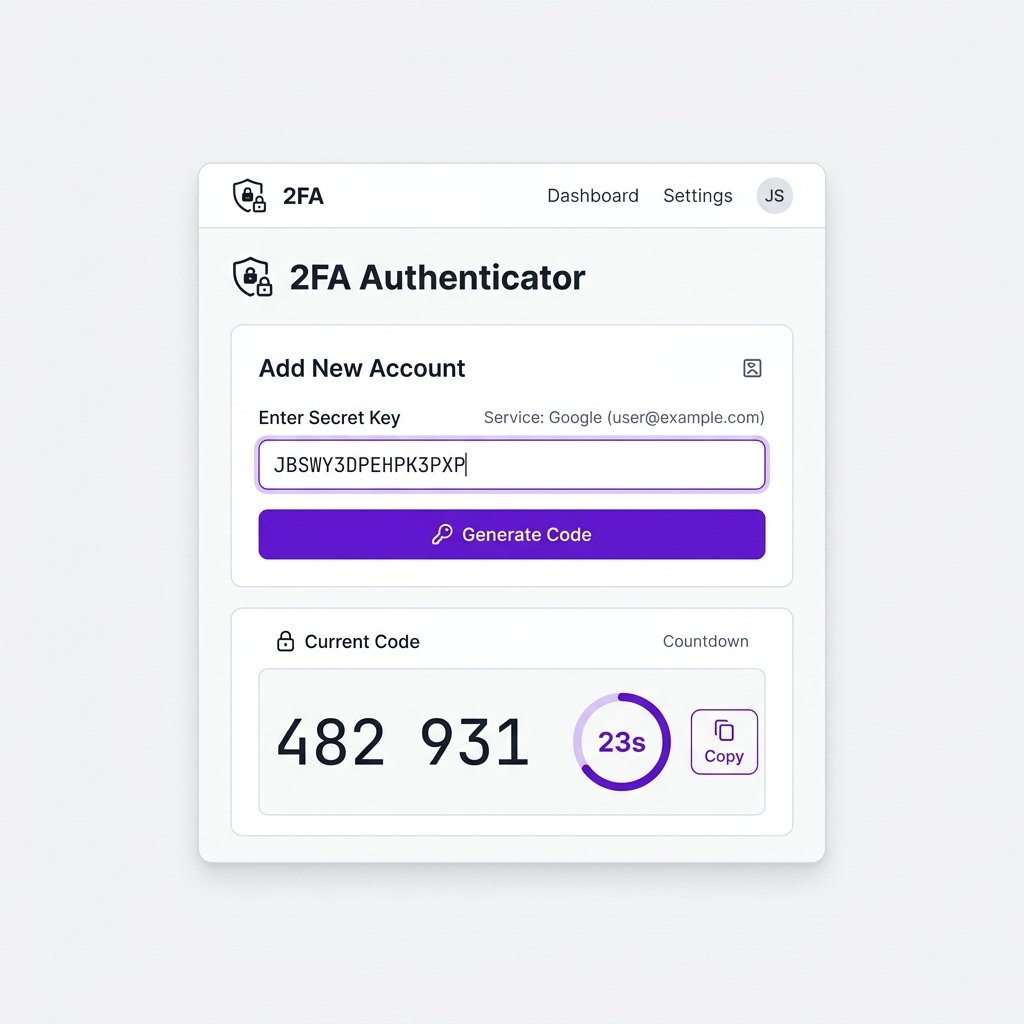
Before you can generate a code, you need the secret key from the platform you want to authenticate with. This is the alphanumeric code provided when you first enabled 2FA on that account. It typically looks like this: JBSWY3DPEHPK3PXP or similar Base32-encoded text.
If you have the key saved (in a password manager, for example), copy it. If you need to find it, see the next section for platform-specific instructions.
Step 3 — Enter the Secret Key
In the input field labeled "Enter Secret Key," either type or paste your secret key. The tool provides a "Paste" button that reads directly from your clipboard — tap it to paste without switching between windows.
Step 4 — Click "Generate Code"
Press the purple "Generate Code" button. Within milliseconds, a 6-digit code appears in the result box below, formatted as two groups of three digits for easy reading (e.g., "482 931").
Step 5 — Watch the Countdown Timer
A circular countdown timer shows exactly how many seconds remain before the current code expires. Codes refresh every 30 seconds. The timer turns red in the final 5 seconds to warn you to act quickly.
Step 6 — Copy the Code
Click the "Copy" button to copy the code to your clipboard. The button briefly changes to show "Copied" as confirmation. Now paste it into the platform's 2FA verification field.
Step 7 — Enter the Code on the Platform
Paste or type the 6-digit code in your target platform's login verification screen. Submit before the timer runs out. You are now authenticated.
Where to Find Your Secret Key (Platform-by-Platform)
The secret key is the critical input that Auth Socialbulk needs to generate valid codes. Here is where to find it on the most common platforms:
| Platform | Navigation Path to Secret Key | Key Format |
|---|---|---|
| Settings → Accounts Centre → Password & Security → Two-Factor Authentication → Authentication App → "Copy Key" | 32-character Base32 | |
| Google Account | myaccount.google.com → Security → 2-Step Verification → Authenticator App → "Can't scan it?" link | 16-character Base32 |
| Settings → Security & Login → Two-Factor Authentication → Authentication App → "Setup Key" | 32-character Base32 | |
| Twitter / X | Settings → Security → Two-Factor Authentication → Authentication App → "Enter Code Manually" link | 16–32 characters |
| Any TOTP Platform | Look for "Can't scan?" / "Enter manually" / "Setup key" / "Secret key" link on the 2FA setup QR code page | Base32 alphanumeric |
Auth Socialbulk vs Other 2FA Methods
There are several ways to implement two-factor authentication. Here is how Auth Socialbulk compares to the most common alternatives:
| Feature | Auth Socialbulk | Google / MS Authenticator | SMS OTP | Hardware Key (YubiKey) |
|---|---|---|---|---|
| App Download Required | No | Yes | No | Hardware device needed |
| Works Without Phone | Yes (any browser) | No (phone required) | No (SIM required) | Yes (USB/NFC) |
| SIM Swap Vulnerable | No | No | Yes | No |
| Code Sent Over Network | Never | Never | Yes (SMS) | Never |
| Cost | Free | Free | Free (carrier charges may apply) | ₹3,000–₹8,000 per key |
| Ease of Use | Very Easy | Easy | Very Easy | Moderate |
| Works on Desktop Natively | Yes | No (phone-only app) | No | Yes |
| Security Level | High (TOTP) | High (TOTP) | Low–Medium | Very High |
Auth Socialbulk fills a unique niche: it provides TOTP-level security (equivalent to Google Authenticator) while working on any device with a browser — making it ideal for desktop users, multi-account managers, and anyone without their phone on hand.
Who Should Use Auth Socialbulk?
Auth Socialbulk was designed with a specific user in mind — and that user is anyone who spends meaningful time managing online accounts. Here is a breakdown of who benefits most:
Socialbulk Account Holders
If you have an account on Socialbulk or regularly purchase from the Socialbulk Store, enabling 2FA protects your wallet balance, orders, and account credentials. Auth Socialbulk is the official authenticator built specifically for this ecosystem.
Buyers of Aged Instagram Accounts
When you purchase an aged social media account, one of the first things you should do is enable 2FA and change the linked credentials. Auth Socialbulk lets you verify 2FA codes immediately during the account transfer process — no phone setup required.
Social Media Marketers and Agencies
Managing 5, 10, or 50+ accounts means dealing with 2FA codes constantly. Auth Socialbulk works directly in your desktop browser, so you can generate codes without switching to a separate mobile device every time.
E-Commerce Sellers
Sellers on platforms like Instagram and Facebook need their accounts protected. A compromised seller account means lost sales and damaged reputation. 2FA — and a reliable tool to access it — is non-negotiable.
Content Creators
Years of content, thousands of followers, brand partnerships — all at risk if your account has no 2FA. Auth Socialbulk makes it easy to add that second lock on your digital identity.
Anyone Without Their Phone
Your phone is dead. You are logging in from a new computer. Your app is uninstalled. Auth Socialbulk works in any browser — bookmark it and you always have access to your 2FA codes.
Is Auth Socialbulk Safe? Security Explained
This is the most important question to answer honestly. Here is a transparent breakdown of the security model:
Client-Side Processing Only
Auth Socialbulk uses the OTPAuth JavaScript library loaded from Cloudflare CDN. All code generation happens entirely within your browser. The secret key you enter is never transmitted to any server — it exists only in your browser's memory for the duration of your session.
No Key Storage
Auth Socialbulk does not store your secret key in localStorage, cookies, or any browser storage. When you close or refresh the tab, the key is gone. This is intentional — it means no key can be leaked if the tool's servers were ever compromised, because the key never reaches the servers in the first place.
HTTPS Encrypted Connection
The tool is served over HTTPS, meaning your connection to auth.socialbulk.in is encrypted. Even the initial page load cannot be intercepted by a network attacker in a meaningful way.
When Should You Be Cautious?
- Do not use Auth Socialbulk on public computers (library, internet cafe). Browser extensions or keyloggers on those machines could capture your input.
- Do not screenshot the generated code and send it to anyone. OTP codes are single-use.
- Do not paste your secret key into untrusted websites. Only use auth.socialbulk.in or other tools you completely trust.
Why 2FA Matters More Than You Think
Account security is not abstract — the consequences of a compromised account are immediate and often permanent. Here is the reality:
- Credential stuffing attacks — hackers take breached password databases from one platform and automatically try them on hundreds of other platforms. If your Instagram password matches your leaked email password, your account is at risk without 2FA.
- Phishing — sophisticated phishing pages collect your username and password in real time. Without 2FA, the attacker can log in immediately. With 2FA, they have 30 seconds to also obtain an OTP code — significantly harder.
- Account recovery abuse — attackers often target account recovery flows. 2FA makes the recovery process require an additional step that the attacker cannot easily complete.
- Insider threats — if you share account access with team members and later need to revoke it, 2FA adds another layer of control. Rotating the secret key effectively locks out anyone who had prior access.
"Enabling 2FA is the single highest-impact security action you can take. It blocks over 99% of automated account takeover attacks."
Best Practices for Using 2FA Safely
- Save your secret key in a password manager. Tools like Bitwarden (free), 1Password, or Dashlane can store secret keys securely alongside your password. This is the only reliable backup.
- Enable 2FA on every account that supports it. Prioritize accounts with payment methods attached — your Socialbulk account, Instagram seller accounts, email accounts.
- Use a private browser window when accessing Auth Socialbulk on shared or unfamiliar devices.
- Never share OTP codes with anyone. Legitimate platforms never ask for your 2FA code over chat or email.
- Keep a backup of your secret key offline. Write it on paper and store it in a physically secure location. If you lose all digital copies, you will be locked out of your own account.
- Rotate your secret key periodically if you suspect it may have been compromised. This involves disabling and re-enabling 2FA on the platform.
- Test your 2FA setup immediately after enabling it. Log out and back in to confirm the code generation is working before you rely on it in production.
- Keep your device clock accurate. TOTP codes depend on synchronized time. Enable automatic time sync in your operating system settings.
Common Mistakes When Using 2FA Tools
- Not saving the secret key at setup. Many users scan the QR code, enable 2FA successfully, and never save the underlying secret key. When they change phones or need to use a different authenticator, they are locked out.
- Entering an incomplete secret key. Secret keys must be entered exactly as provided — no spaces, no truncation. Even one missing character produces invalid codes. Auth Socialbulk will show "ERROR!" to signal this.
- Waiting too long after generating the code. If you generate a code and then spend 30+ seconds navigating to the login field, the code may expire. Generate the code just before you need to enter it.
- Confusing the secret key with the OTP code. The secret key is the long alphanumeric setup string (e.g., JBSWY3DPEHPK3PXP). The OTP code is the short 6-digit number generated from it. These are entirely different things.
- Using SMS OTP when TOTP is available. SMS 2FA is better than nothing, but significantly weaker than TOTP. If a platform offers both, always choose the authenticator app (TOTP) option.
- Sharing the secret key with team members via unencrypted channels. Sending a secret key over WhatsApp, Telegram, or email is dangerous. Use an encrypted password manager with secure sharing features instead.
- Assuming 2FA makes you invincible. 2FA significantly raises the bar for attackers, but it does not eliminate risk entirely. Strong unique passwords, phishing awareness, and secure device practices remain essential.
Expert Tips for Power Users
Tip 1: Use Auth Socialbulk Alongside a Primary Authenticator App
For maximum reliability, set up the same account in both your mobile authenticator app (Google Authenticator or Authy) and Auth Socialbulk. Both use the same secret key and generate identical codes. This gives you redundancy — if one method is unavailable, the other still works.
Tip 2: Create a Dedicated Browser Bookmark Folder for Security Tools
Create a bookmarks folder titled "Security" and add Auth Socialbulk to it. This makes it instantly accessible whenever you need to authenticate, without searching for the URL.
Tip 3: Generate Codes Before the Final 5 Seconds
The countdown timer turns red in the final 5 seconds. If you see red, wait for the next code rather than rushing to enter an expiring one. Platforms accept codes within a small time window (usually ±1 period), but cutting it this close is risky.
Tip 4: Use Bitwarden's Built-In TOTP for Everyday Accounts
For daily-use accounts, Bitwarden's free tier includes a TOTP generator built into the password manager. Auth Socialbulk is particularly valuable for accounts that are not stored in your password manager — such as newly purchased accounts or shared team accounts.
Tip 5: Audit Your 2FA Status Quarterly
Every 3 months, review which of your accounts have 2FA enabled. Enable it on any that do not. Also verify that the stored secret keys in your password manager still generate correct codes — this is a simple 30-second check that can save you from a future lockout.
Quick Checklist: Using Auth Socialbulk Safely
Before First Use
- ☐ Enable 2FA on your platform (Instagram, Google, Socialbulk account, etc.)
- ☐ Copy and securely save your secret key in a password manager
- ☐ Bookmark auth.socialbulk.in in your browser
Each Time You Use the Tool
- ☐ Open Auth Socialbulk in a private window if on a shared device
- ☐ Paste the correct secret key for the account you are logging into
- ☐ Generate the code just before entering it — do not wait
- ☐ Copy the code using the Copy button to avoid typos
- ☐ Watch the timer — avoid codes with fewer than 5 seconds remaining
Ongoing Security
- ☐ Verify secret key backups quarterly
- ☐ Keep device clock synchronized to correct time
- ☐ Never share secret keys over unencrypted messaging
- ☐ Audit 2FA status for all critical accounts every 3 months
Frequently Asked Questions
What is Auth Socialbulk?
Auth Socialbulk is a free, web-based TOTP (Time-based One-Time Password) two-factor authentication tool built by Socialbulk. It allows users to generate secure 6-digit OTP codes directly in their browser using a secret key, without needing to download any app.
How does Auth Socialbulk generate 2FA codes?
Auth Socialbulk uses the TOTP algorithm (RFC 6238) combined with your account's secret key and the current time to generate a unique 6-digit code every 30 seconds. The same algorithm is used by Google Authenticator and Microsoft Authenticator — so codes generated by Auth Socialbulk are fully compatible with any TOTP-enabled platform.
Is Auth Socialbulk free to use?
Yes. Auth Socialbulk is completely free to use. There is no account required to generate codes — simply visit auth.socialbulk.in, enter your secret key, and click Generate Code. There are no paid tiers or usage limits.
Do I need to download an app to use Auth Socialbulk?
No. Auth Socialbulk is a fully web-based tool. It runs entirely in your browser with no app download, installation, or account registration required. It works on desktop computers, laptops, tablets, and smartphones.
Is my secret key safe when I use Auth Socialbulk?
Auth Socialbulk processes your secret key entirely client-side in your browser. The key is never sent to any server. However, always use the tool on your personal, trusted device and avoid using it on shared or public computers where keyloggers may be present.
What is a secret key in 2FA?
A secret key (also called a seed or shared secret) is a unique alphanumeric code provided by the platform when you enable 2FA. It is the base value from which both the platform and your authenticator generate the same time-based codes simultaneously. It typically looks like JBSWY3DPEHPK3PXP — a 16 to 32 character Base32-encoded string.
What does the 30-second timer mean in Auth Socialbulk?
Each TOTP code is valid for exactly 30 seconds. After 30 seconds, the code expires and a new one is generated automatically. Auth Socialbulk shows a visual circular countdown timer so you know exactly how much time remains before the current code expires. The timer turns red in the final 5 seconds as a warning.
Can I use Auth Socialbulk for Instagram 2FA?
Yes. If Instagram has provided you with a secret key when setting up 2FA (the text code shown alongside the QR code), you can enter that key into Auth Socialbulk to generate valid Instagram authentication codes. Navigate to Instagram Settings > Accounts Centre > Password & Security > Two-Factor Authentication > Authentication App > "Copy Key" to find your key.
What is the difference between 2FA and TOTP?
2FA (Two-Factor Authentication) is a broad security concept that requires two forms of identity verification. TOTP (Time-based One-Time Password) is one specific method of implementing 2FA — it generates time-limited codes using a shared secret key and the current time. Auth Socialbulk uses the TOTP method, which is the most secure and widely supported form of 2FA.
Why should I use 2FA on my social media accounts?
2FA adds a critical second layer of security beyond your password. Even if someone obtains your password through phishing, data breaches, or credential stuffing, they cannot access your account without the constantly changing 2FA code. Research shows 2FA blocks over 99% of automated account takeover attacks.
Who should use Auth Socialbulk?
Auth Socialbulk is ideal for Socialbulk account holders, social media marketers managing multiple accounts, buyers of aged social media accounts from Socialbulk Store, and anyone who needs quick, reliable access to 2FA codes without requiring a separate mobile device or dedicated app.
What happens if I enter a wrong secret key?
If the entered secret key is invalid — wrong format, too short, or containing non-Base32 characters — Auth Socialbulk will display "ERROR!" in red instead of a code. Double-check that you copied the full key correctly with no missing characters, spaces, or special characters.
Conclusion
Account security is not a one-time setup — it is an ongoing practice. Auth Socialbulk makes the hardest part of that practice (accessing 2FA codes reliably) as frictionless as possible. A browser, your secret key, and one click is all it takes.
The tool is free. It is private. It works on every device. And it uses the same cryptographic standard that secures accounts at Google, Meta, and every major platform in the world. There is no good reason not to use it.
If you manage social media accounts — whether they are yours, your clients', or accounts purchased from Socialbulk Store — 2FA is your first and most important line of defense. Auth Socialbulk ensures that line of defense is always within arm's reach.
Enable 2FA on your accounts today. Bookmark Auth Socialbulk. And sleep a little easier knowing your accounts are protected by more than just a password.
The Socialbulk Ecosystem
Auth Socialbulk is one component of a broader digital infrastructure built by Socialbulk. Understanding the full ecosystem helps you use each tool more effectively:
Each platform is designed to work together. You might purchase an aged Instagram account from Socialbulk Store, use Auth Socialbulk to generate 2FA codes during the account transfer, and then manage growth using the Socialbulk tools ecosystem.